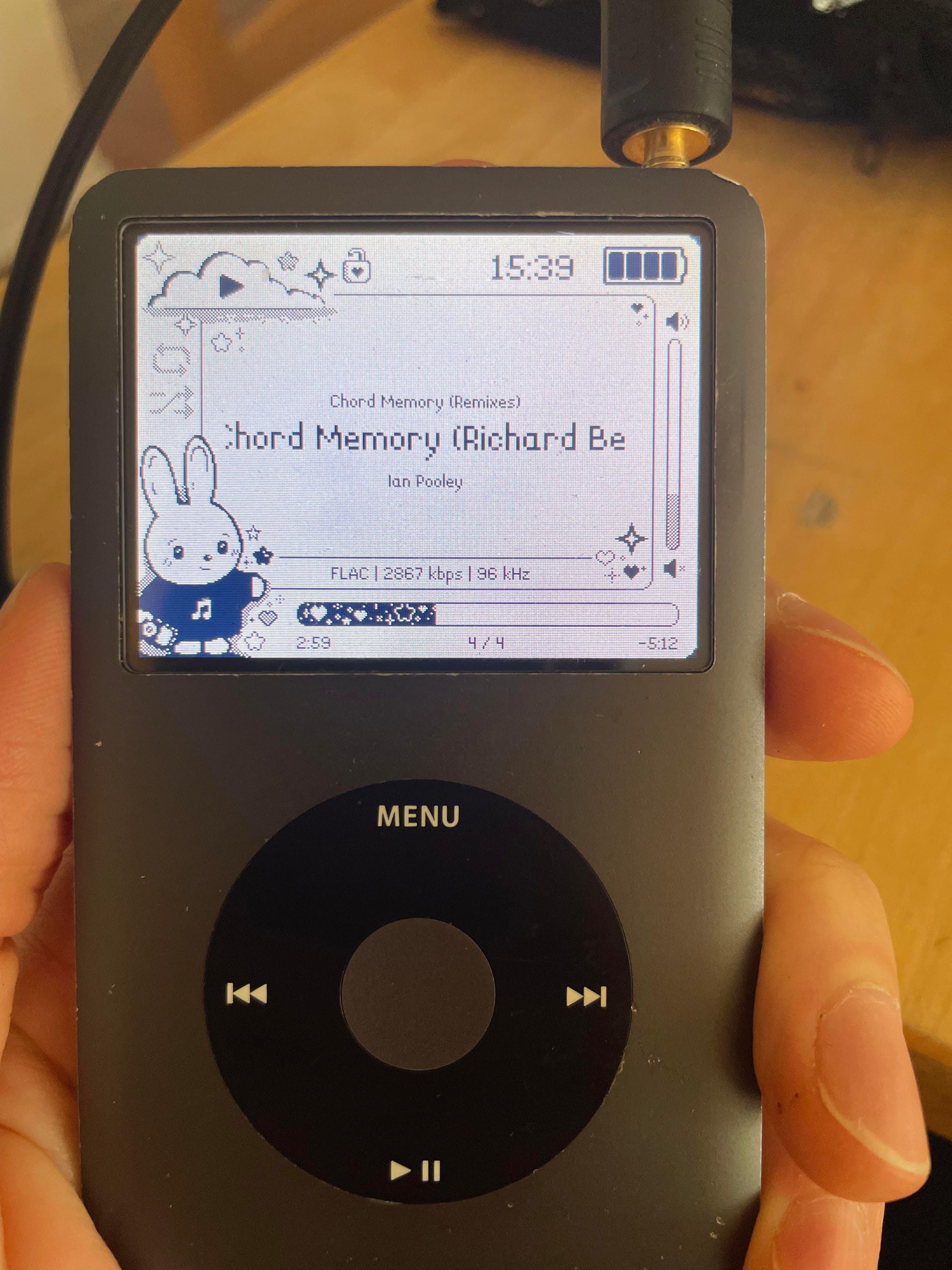
Rockbox on iPod(7th Gen) with OSX
Found an old iPod Classic 7th gen in great working condition. I went to use it and found that Apple has completely stopped supporting iPods, so I couldn't add or remove music.
I did some research and RockBox seemed like the best choice. It's been around for 20 years and has alot of support and users.
The Issues I ran into:
- The old iPod cable is USB-A so I used a hub which could've contributed to some of the setup issues I ran into but I don't know for sure. The consensus seems to be to use a direct usb-b -> usb-c converter, no hub.
- I was using Tahoe 26.3 and it is extremely aggressive with mounting discs and security. so when Rockbox puts the iPod in DFU mode OSX intercepts it and ruins the install.
- the steps are you hold menu and select and do a hard reset, but when it hard resets the finder interrupts and wants to restore the ipod and messes up the install.
My work arounds:
the most helpful bit I found was this terminal command:
pkill -SIGSTOP AMPDeviceDiscoveryAgentA user on the RockBox forum, unitimmy, figured this bit out, thanks unitimmy. This prevents the finder from interrupting. however it prevents the disk from remounting as well, but what I found out is that isn;t such a big deal.
Once I got the menu + select hold to work, i ignored the finder prompt about what to do with the unsupported volume, and aborted the RockBox Utility install.
The iPod is now in bootloader USB mode, which is what we want. Now I just used Apple's DiskUtility to erase it, using FAT-32 and Master Boot Record (MBR). Name it whatever you want.
Then I went to RockBox and got the latest image and manually put it on the iPod.
https://www.rockbox.org/daily.shtml
**this is a bit tricky as the directory is hidden (.rockbox) and apple doesnt make this easy. but if you have terminal experience it's a breeze.
once that directory is in the root of the ipod safely eject and reboot(menu + select for 5 secs) and it should work.
** I also added the bunnyPod theme, which requires copying the contents of the themes various directories and adding them to the existing .rockbox directory.
It's only been a couple days of using it so I'll see how it goes. I'm nervous about plugging it in if something could make it reset. Also when not using it for a bit and you start it up again, you see a blank black screen with some terminal looking stuff, but then RockBox boots, and there shouldn't be an issue.
Hope this helps someone :)